Black Friday: Pro half price for year oneon the yearly plan, until 1 Dec. The discount shows on Apple’s purchase sheet.Get it
DailyWall Get the app

100 journal prompts for every day (morning, evening, gratitude and more)

Updated November 9, 202611 min readSerkan Kaplan

Quick answer

Pick one prompt that fits the moment, set a short time (five minutes is enough) and write without editing. Use morning prompts like “What would make today a good day?” to set intentions, evening prompts like “What did I learn today?” to reflect, and gratitude prompts to notice what went well. Journaling at the same time each day matters more than the prompt you choose.

Journal prompts solve the hardest part of journaling: the blank page. You sit down with good intentions, stare at the empty lines, and write “Today was fine.” A good prompt gives your thoughts a direction, so five minutes of writing turns into something you actually learn from. Below are 100 journal prompts grouped by when and why you might use them: morning prompts to set up the day, evening prompts to close it, gratitude prompts, self-discovery questions, goal-setting prompts and some fun ones for when journaling starts to feel like homework. After the list, you’ll find how to choose a journaling format and how to keep the habit going after the first enthusiastic week.

How to use these journal prompts

You don’t need to answer every prompt, and you don’t need to go in order. Think of this list as a menu. On a calm morning you might write a page about one self-discovery question; on a busy evening, three lines on a gratitude prompt is plenty.

A few simple rules make prompts work better. Write by hand or on your phone, whichever you’ll actually do. Set a small target, like five minutes or three sentences, so stopping early never feels like failing. Don’t edit or reread while writing; spelling and style don’t matter. And be specific: “the way my colleague laughed at my bad joke” teaches you more than “work was OK”.

Why bother? Many people find that writing slows racing thoughts down to the speed of the pen, which makes them easier to sort through. Psychologist James Pennebaker’s research on expressive writing, in which people wrote about difficult experiences for short sessions over a few days, sparked decades of studies on how writing about feelings can help people process them. Results vary from person to person, and a journal is not a replacement for professional help when you’re struggling, but for most people it’s a low-cost way to understand themselves a little better.


Morning journal prompts (1–15)

Morning journal prompts are short and forward-looking. Their job is to help you decide what matters today before your phone and inbox decide for you.
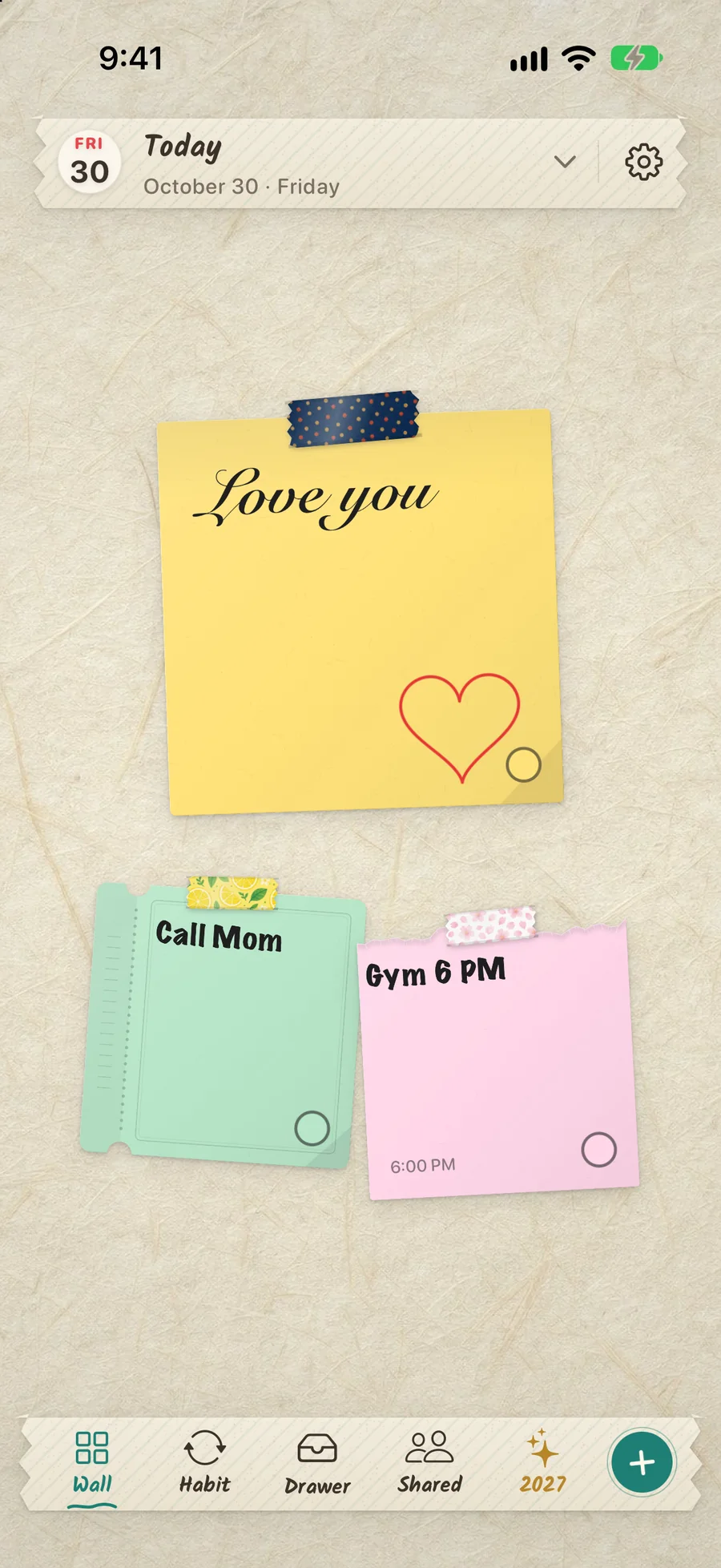
Handwritten paper note in the DailyWall app with a short morning intention

Tick the steps as you go


Evening journal prompts for daily reflection (16–30)

Evening prompts close the day. They help you notice what worked, learn from what didn’t, and put worries on paper instead of taking them to bed.

Tick the steps as you go


Gratitude journal prompts (31–45)

Gratitude journaling is simple: note a few things that went well and, ideally, why. The specific prompts below keep it from becoming the same list every night. For a gentle daily version, see our gratitude journal habit page, and for 75 more ideas, including Thanksgiving and hard-day questions, see our gratitude journal prompts.

Tick the steps as you go


Self-discovery journal prompts (46–65)

Self-discovery journaling prompts take a little longer. Save them for a quiet weekend morning or an evening when you have twenty minutes and a cup of tea.

Tick the steps as you go


Goal-setting journal prompts (66–80)

Goal prompts turn vague wishes into something you can act on. They work especially well at the start of a month, a season or a new year. If you’re planning for next year, our list of New Year resolution ideas pairs well with these.

Tick the steps as you go


Fun and creative journal prompts (81–100)

Journaling doesn’t have to be serious to be worth doing. Fun journal prompts keep the habit alive on days when introspection feels like too much, and they often reveal more than you expect.

Tick the steps as you go


Journaling for beginners: choose a format that fits

There’s no single right way to keep a journal. If one format hasn’t stuck for you before, try a different one rather than giving up on journaling altogether.

Tick the steps as you go


How to make journaling a daily habit with DailyWall

Most journals don’t fail because of the prompts. They fail because the reminder disappears: the notebook ends up in a drawer and the good intention fades with it. The fix is to make the habit small and visible.

DailyWall is an iPhone and iPad app where every day has its own wall of paper notes, and that wall can become your Lock Screen wallpaper through a Shortcuts automation you set up once. Its habits hang a paper on your wall by themselves on the days you choose. The Journal habit lets you choose how much you’ll write (a few lines, a page or as much as you like) and where (a notebook or your phone), and the Gratitude note habit gives you one dot to fill for each good thing, from one to five. You can also write tonight’s prompt on a paper so it greets you on your Lock Screen. Our journaling habit page explains the setup in detail.
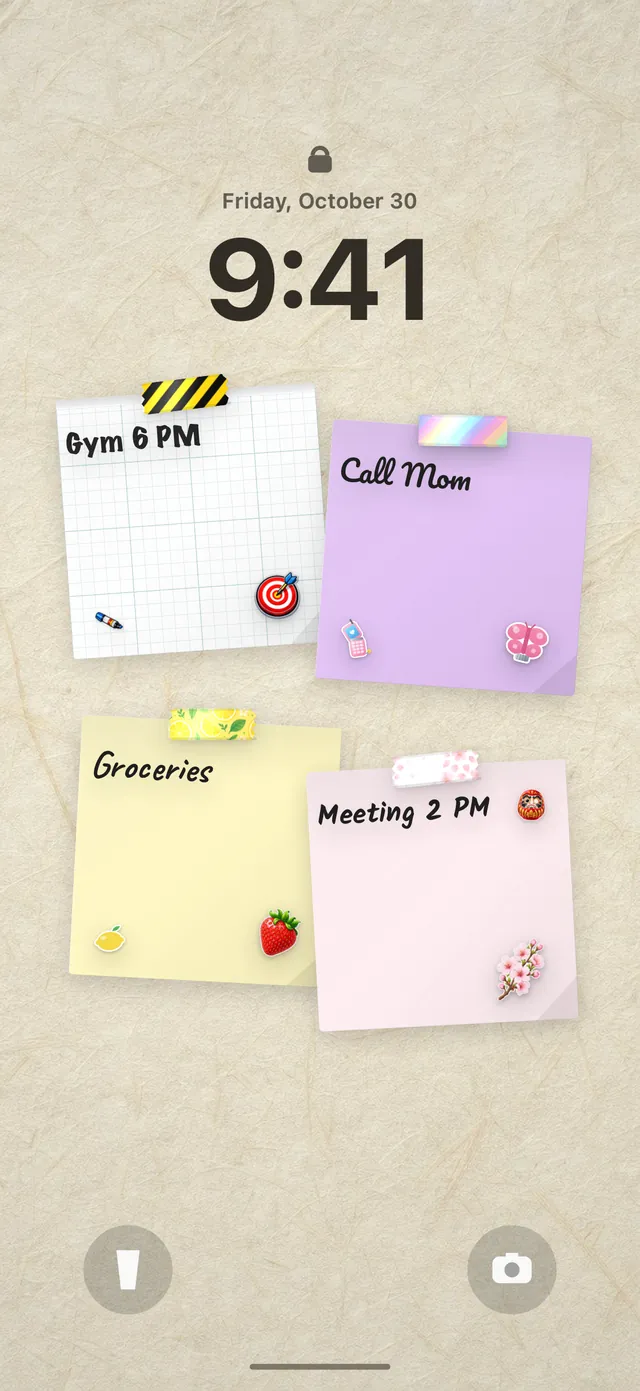
iPhone Lock Screen with paper notes on a DailyWall wall under the clock

Tick the steps as you go

Questions people ask

What should I write in my journal every day?

Pick one prompt that fits the moment: a morning intention, an evening reflection, three good things or a question about yourself. Five minutes or three sentences is enough. Consistency matters more than length.

What are good morning journal prompts?

Try “What would make today a good day?”, “What are my three priorities today?”, “How do I feel right now, and why?” and “What can I let go of today?”. Keep morning prompts short and focused on the day ahead.

How long should I journal each day?

Five to fifteen minutes is plenty for most people. Starting with a small target, like three sentences, makes it easier to keep going on busy or tired days.

Is it better to journal in the morning or at night?

Both work. Morning journaling helps you set intentions and priorities; evening journaling helps you reflect and clear your head before sleep. Choose the time you can protect every day.

Can I journal on my phone instead of in a notebook?

Yes. Writing by hand feels different for some people, but the best journal is the one you use. If your phone is always with you, journaling on it is a perfectly good choice.

How do I start journaling if I don’t know what to write?

Use a prompt, set a five-minute limit and write without editing. If you’re stuck, start with “Right now I feel…” or “Today I noticed…” and keep going for a few sentences.
Keep reading
Free Christmas wallpapers for iPhone, plus 15 Christmas Lock Screen ideas10 free Christmas iPhone wallpapers in a paper-craft style, how to set one on the Lock Screen in iOS 27, and 15 Christmas Lock Screen ideas that are pretty and useful.Read the guideNew Year's resolutions for 2027: a simple method that actually lastsFewer goals, clear if-then plans, set review dates and one reminder you see every day: a practical way to make 2027's resolutions stick.Read the guideTo-do list Lock Screen ideas: 12 layouts that actually get usedTop three, now/next/later, errand routes, a done list: 12 to-do list Lock Screen layouts and who each one suits.Read the guideiOS 27 Lock Screen tips: automations, notes and widgets after the updateThe Automation tab is gone in iOS 27. Here’s where Lock Screen automations live now, how to switch them on, and the tips that still apply.Read the guideStudy planner Lock Screen: a revision plan you see every time you pick up your phoneSix study planner layouts for exam season, focus blocks on the Lock Screen and how to stop your phone pulling you away from revision.Read the guideAesthetic Lock Screen ideas with sticky notesCosy, minimal, pastel or scrapbook: how to design an aesthetic iPhone Lock Screen with sticky notes that still works as a to-do list.Read the guideValentine’s Day couples widgets: 14 shared-note ideas for iPhoneA morning note, a date-night ticket, a riddle trail: 14 Valentine’s ideas for a couples widget and a shared Lock Screen, plus how to set it up.Read the guideHabit stacking: the simple formula, with examples you can copyAttach each new habit to something you already do every day; here's the formula, how to choose anchors and 25 examples to copy.Read the guideShared lists for couples and families: what actually worksGroceries, chores, date ideas and a family whiteboard: how to share lists at home so they get used, not ignored.Read the guideAesthetic iPhone Home Screen ideas (and layout ideas that actually work)Twelve aesthetic iPhone Home Screen ideas, eight layout ideas, and step-by-step help with icon colours, custom icons, widget stacks and a matching Lock Screen.Read the guideAesthetic lock screen wallpaper ideas: 45 cute, cool and useful looks45 aesthetic lock screen wallpaper ideas in five styles, the rules that keep them readable, and how to make your own iPhone wallpaper for free.Read the guideThe best habit tracker app for iPhone: 9 options compared honestlyNine habit tracker apps for iPhone compared by style: streak counters, cross-platform trackers, games, social apps and a Lock Screen tracker, plus how to choose.Read the guideBrain dump journal: how to clear your head in 10 minutesA ten-minute brain dump method: write everything down, sort it into four groups, pick three things for today and park the rest, with prompts and templates for different situations.Read the guideBullet journal ideas: 60 page ideas for beginnersSixty bullet journal page ideas for beginners, from the index and future log to trackers, wellbeing pages and fun collections, with easy layouts and tips to keep going.Read the guideHow to customize your iPhone Lock Screen, step by stepEvery way to change and edit your iPhone Lock Screen: wallpaper, clock, widgets, bottom buttons, depth effect, Photo Shuffle, Focus links and notifications.Read the guide75 gratitude journal prompts (plus how to start a gratitude journal that lasts)75 gratitude journal prompts for adults, Thanksgiving, hard days and kids, a simple way to start a gratitude journal, a 30-day plan and gratitude list ideas.Read the guideHabit tracker ideas for your bullet journal (and your Lock Screen)Fifty habits worth tracking, grouped into health, movement, mind, learning, productivity, home, relationships and money, plus eight bullet journal tracker layouts and a Lock Screen version.Read the guideHidden iPhone features you should be using (30 tricks that actually help)Thirty useful hidden iPhone features and tricks, from the space-bar trackpad and Live Text to Back Tap, Send Later, locked apps, charging limits and a Lock Screen that shows your own notes.Read the guideMorning routine: a simple plan you’ll actually stick toA realistic morning routine guide with five building blocks, ready-to-copy 15, 30 and 60-minute routines, versions for students and home workers, and how to make it last.Read the guideNew Year resolution ideas: 100 goals for 2027 you can actually keep100 specific New Year resolution ideas for 2027, grouped by area of life, plus a short method for picking the right ones and keeping them past February.Read the guide30 productivity tips that actually work (and how to pick the right ones)Thirty practical productivity tips for work, study and home, grouped into planning, focus, energy, phone distractions and habits, plus a one-week plan to test them.Read the guideStudy planner template: how to plan your study week in 7 stepsA step-by-step study planner template with five ready-to-use weekly schedules for high school, university, exam season, working students and a single study day.Read the guideStudy tips that actually work: 25 research-backed study methodsThe best study methods according to learning research, how to use active recall, spaced repetition, interleaving and the Feynman technique, and which popular habits waste your time.Read the guideMethods for time management: 8 techniques and when to use each onePomodoro, the Eisenhower matrix, time blocking, timeboxing, the 1-3-5 rule, eat the frog, Getting Things Done and the Ivy Lee method: how each works, who it suits and how to combine them.Read the guideFree tool: to-do list wallpaper makerType a list, pick a sticky note, download a Lock Screen PNG. No sign-up.Make one nowJournaling habitLearn moreGratitude journal habitLearn moreNew Year resolution ideasLearn more
Pin your gratitude list to your Lock ScreenDailyWall · free iPhone appGet the app